
The product
Every screen here is
a real Klyro screen.
Your whole business, from your phone. Plan the day, manage customers, quote, do the work and invoice in the field. A desktop gives you a bigger view, not extra features. These are real app screens with fictional demonstration data, in the order a job moves through Klyro.
01 · Setup
It asks what you do, then builds itself around the answer.
Pick your trades and Klyro adds the matching starter services, certificate templates and document defaults — and tells you exactly what it is adding before it does. Nothing is switched on quietly.
It also asks the question most systems leave you to discover later: how you price. VAT in, VAT out, or not registered — and how much detail the customer sees on a quote.


02 · Booking and intake
Take the work while your hands are full.
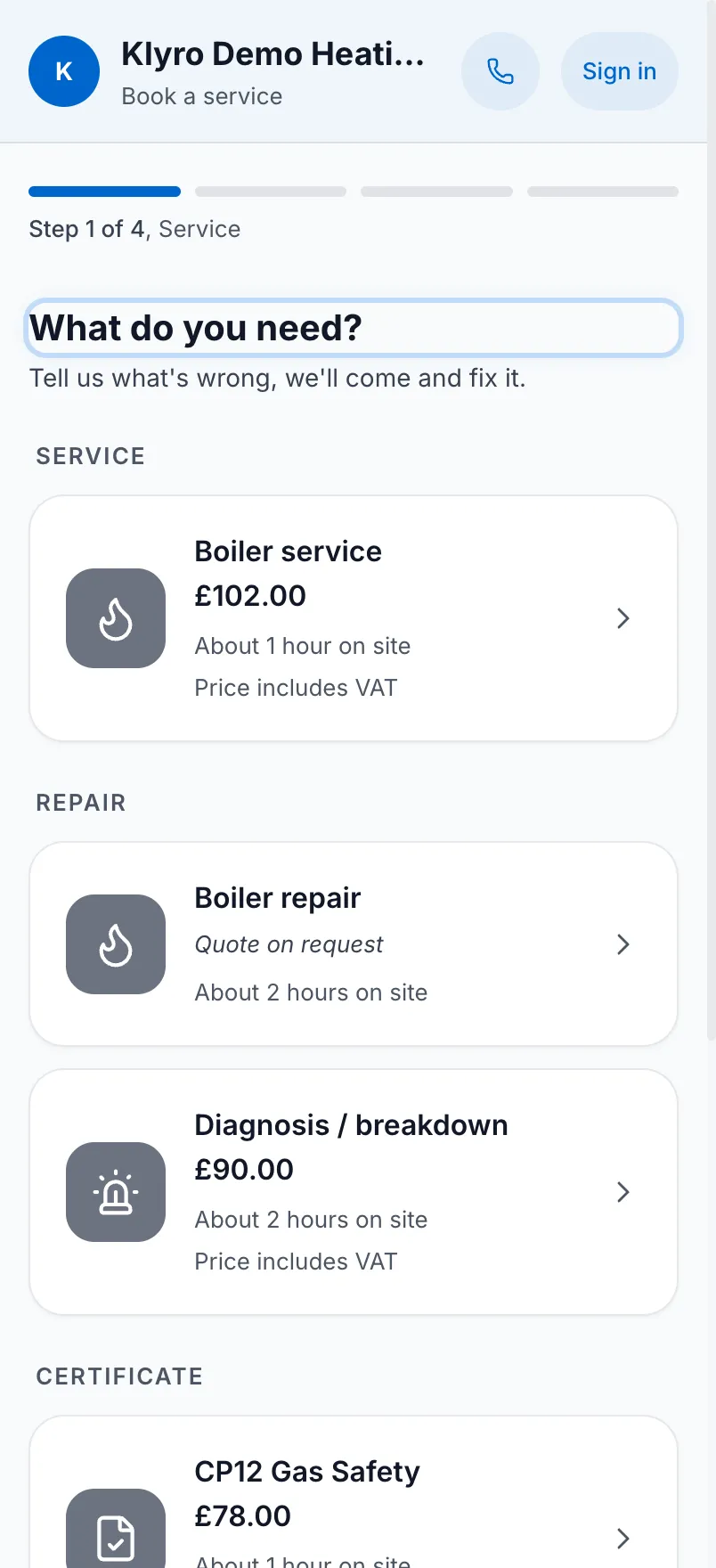
A booking page in your name, showing your services with your durations and your prices. Drop it onto the website you already have — there are ready-made embeds for WordPress, Squarespace, Wix, Astro and plain HTML — or use it as your booking page.
Choose whether bookings go straight into the diary or wait for your review. For held requests, approve, propose alternatives, ask for more information or decline.


03 · Customers, properties, appliances
Three levels, because that is how the work is actually shaped.
A customer can have more than one property. A property can have more than one appliance. Each appliance carries its own identity and its own history — service visits, certificates, parts fitted, documents, lifecycle.
That structure is what lets a job arrive with context instead of an address and a phone number.
Customers get their own way in, too — a portal carrying your name, your number and your Gas Safe registration.


04 · Schedule and dispatch
One diary, whether it holds one person or four.
Day, three-day, week and month views. Filter by engineer or status, show only the late ones, fold absences and bank holidays in. A dispatch overview tells you what today looks like, and unassigned work sits where you cannot miss it.
Raising a job starts from who you already know, not from an empty form.


05 · On site
The job screen is the work, not a form about the work.
The fault in the customer's own words, the appliance it belongs to, the access and safety brief, the safety state, and a timer that runs while you do. Status moves from scheduled to en route to on site to complete.
Completion is deliberately a sequence. A departure safety check. Your attestation, which never stands in for the customer. Then their signature, captured separately — or a recorded reason they were not there, which does not silently become one.
Issuing a certificate is a job record. Klyro does not treat it as proof you delivered it.


06 · Parts and margin
Cost, markup, sell price, stock. In that order, on every part.
Keep the catalogue once and the margin stops being something you work out in someone's kitchen. Minimum stock levels tell you what the van is about to run out of.
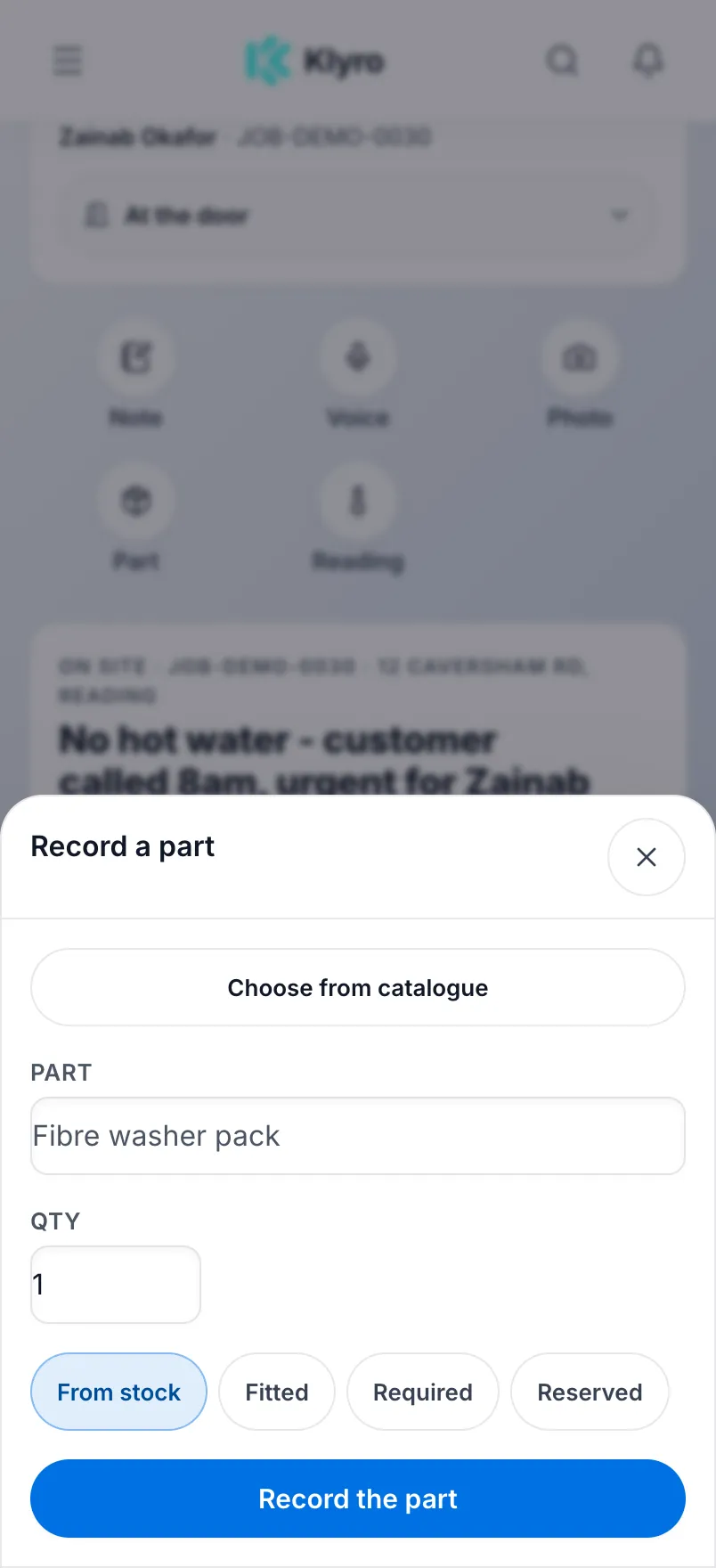
On site, choose from your catalogue and record what was fitted, required or reserved. Keep the part attached to the job instead of relying on a receipt in the van.

07 · Quotes, invoices, payment
The commercial trail stays attached to the operational one.
A quote carries its own timeline — created, sent, accepted, with dates — and converts into the job rather than being re-typed as one. Customers can approve it themselves.
The invoice inherits the work: labour and parts, priced from your catalogue, with VAT handled the way you told setup you handle it.
And chasing is built in — reminders, a payment link by SMS, a copyable link, or recording a payment taken on the doorstep. You can also pause chasing when a customer needs a moment.


08 · Recurring work and automation
The work that comes back is the work worth having.
Build service plans at your prices, with what each one includes and what it entitles the customer to — an annual service, a CP12, priority booking, a discount on repairs — and put customers onto them.
Automation rules handle the rest: a certificate nearing expiry triggers a renewal reminder, a completed job emails the invoice, a new job sends the customer a confirmation. Switch one on and stop thinking about it.


See it with your own work in it
A screenshot only proves so much.
Klyro is opening to a small first group of UK gas engineers. Join the waitlist and we'll be in touch.